Posts

Showing posts from August, 2022

Introduction: Business Central Overview
Image
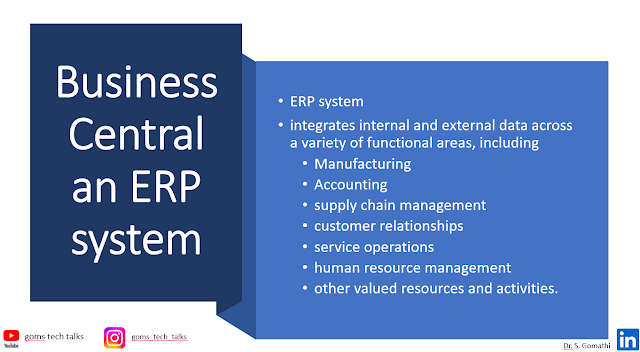
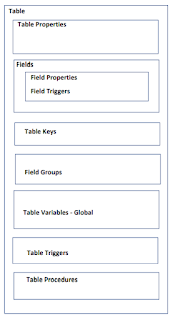
Multi-purpose Buttons Join on WhatsApp E-books for International Buyers E-books for Indian Buyers Schedule a Call Introduction You may access a selection of seamlessly linked business programs that support a variety of company processes with Business Central. Today's businesses frequently use ERP systems, one of which is Microsoft Dynamics 365 Business Central. ERP systems may be used to manage other valuable resources and activities, including manufacturing, accounting, supply chain management, customer interactions, and service operations, in addition to integrating internal and external data across a range of functional areas. Full-featured ERP systems offer a choice of information processing methods by effectively integrating several associated apps. Functional Areas of BC Business Central Made Up of Business Central - Developer's Overview Object Types Table:   Tables are used to both design the data...
Simple Project in Dynamics 365 Business Central - AL Programming

Image
Multi-purpose Buttons Join on WhatsApp E-books for International Buyers E-books for Indian Buyers Schedule a Call Introduction In this blog, I will show you to create a simple project using AL programming in Dynamics 365 business central. This project consists of one table, two pages and one RDLC report. The pre-requisites are  Visual studio code (installed and configured with BC in your system) Business Central login credentials (for on-prem) Report Builder installed in your system for RDLC report.    Table Dynamics 365 Business Central stores data in tables.  Data will be recorded in a table regardless of how it is registered in the product - whether it is via a web service or a finger swipe on a phone app. Table Snippet Table Student: Code Page The main method of displaying and organizing visual data in Dynamics 365 Business Central is through pages. The user interacts with them primari...