Posts

Events in Business Central - When to use events - types of events in business central - implementing event in business central
Image
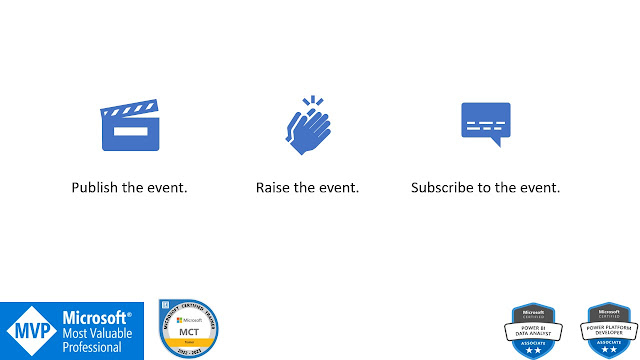
Multi-purpose Buttons Join on WhatsApp E-books for International Buyers E-books for Indian Buyers Schedule a Call Introduction Using events, you may program the app to respond in many ways to user activity. Separating user-defined features from the business logic of an application is made possible through the use of events.  You can reduce the price of code updates and upgrades by making use of events in the application at the points where customizations are commonly made. In precise Customized functionality code can be updated independently of the base app. It is possible to make modifications to the original program code with little to no effect on the customizations. Use of Events Sending alerts when a predefined event occurs or the state of an entity changes Sharing data with other systems Connecting with third-party programs. Types of Events  BusinessEvent - Describes how to post events of a busine...
Microsoft Dynamics 365 Business Central: How to Import Data Using a CSV Buffer - Business Central CSV Buffer - Import CSV Data

Image
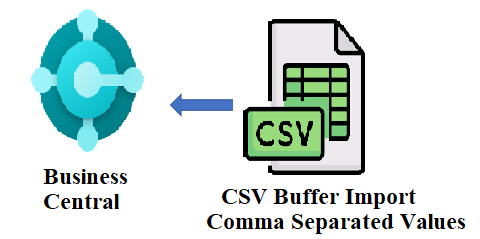
Multi-purpose Buttons Join on WhatsApp E-books for International Buyers E-books for Indian Buyers Schedule a Call Hi Everyone, This post is requested by many readers. I'm going to explain to you with a simple example. I've made a page and a table. The table holds the relevant fields in the CSV file and the Page has the important Procedures to read the CSV file, get the exact value and import the file into the business central CSV File Below is the CSV file I am going to import into the business central Table Create a new table as shown below Page Follow the steps. 1. Declare the page-level variables 2. Create the procedures to  read the CSV file. Get the value from the CSV file Import the CSV data to Business Central We need the File management Codeunit to get the file 3. Call ReadCSV() and ImportCVSData() procedures in the Page action event. Now execute the code.  For detailed instructions check this v...

Part 1 of an introduction to Business Central's custom function and user defined procedures

Image
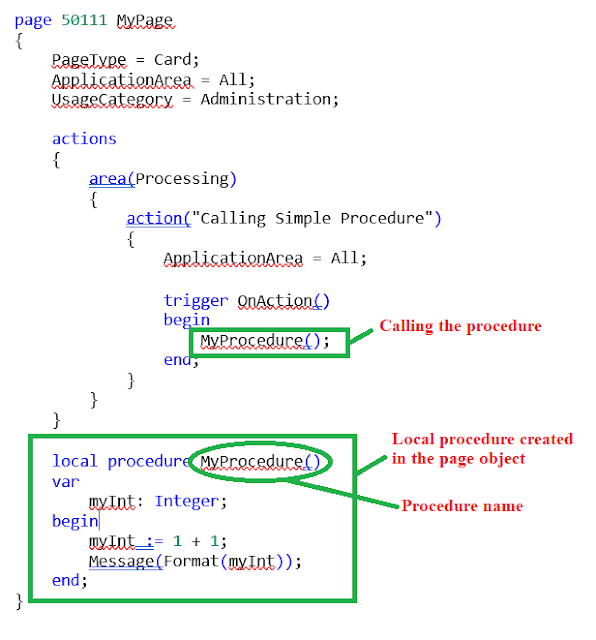
Multi-purpose Buttons Join on WhatsApp E-books for International Buyers E-books for Indian Buyers Schedule a Call Introduction One of the most fundamental ideas in computer programming is function. The first thing a developer does while writing code is to create an algorithm. This need can be satisfied in a function for easy reuse in the future. The ability to add new functions is available in all areas of Business Central where triggers and preexisting functions are used. You are free to implement your own logic and code in these methods. You'll study the basics of function definition and the distinction between local and global functions in this lesson. You can use parameters to tailor the behavior of a function to specific needs. The module's focus is on teaching you how to pass parameters into a function, as well as the many kinds of parameters that can be passed in. Why Functions? The reason for cre...

Regular Expression in Business Central - Validate fields using business central

Image
Multi-purpose Buttons Join on WhatsApp E-books for International Buyers E-books for Indian Buyers Schedule a Call Introduction to Regular Expression Information can be easily extracted from any text using regular expressions (regex or regexp) by searching for one or more matches of a given search pattern (that is, a particular set of ASCII or Unicode letters). Validation, parsing/replacing text, translating data to different formats, and web scraping are just a few of the many possible applications. Once you're familiar with the syntax, this tool may be used in virtually any programming language (JavaScript, Java, Visual Basic, C#, C/C++, Python, Perl, Ruby, Delphi, R, Tcl, and many more), with only minor differences across languages and engine versions for the most sophisticated functionality. Let's get started with some illustrations and clarifications. Basic Characters Anchors - ^ and $ ^The    ...

Page Actions in Business Central

Image
Multi-purpose Buttons Join on WhatsApp E-books for International Buyers E-books for Indian Buyers Schedule a Call  Introduction At the top of each page is the action bar, which is where Dynamics 365 Business Central displays actions. This article teaches you about the many types of actions and how to create it so that users can quickly identify the activities they require. Using the Dynamics 365 web client, you can create  new  actions, add them to a page, and preview them. On Business Central pages, the Dynamics 365 action bar has the following action options. Promoted action categories Actions Navigate Report Action Menu Every page type has an Actions menu with tasks that are appropriate for the present page. Processing and creative activities are frequently seen in action menus. You may add processing activities, such publishing a sales order, in the processing action box. They're regular d...